Remarkable 2 for my California Trip: A Long-Term Report From a Local
UGH, the digital noise! Distracting you from California’s cool vibe, right? Ever just wanna focus? Cut out all the notifications? Well, for adventurers hitting the Golden State, the Remarkable 2 for Travel came swinging, promising a brain detox. Not just some fancy gadget. It’s a full-on commitment, really, to reading and taking notes without, you know, getting pulled away by a ‘ding’. Months of using it later, people are seeing if this e-ink tablet actually is the ultimate travel buddy. Or just hype. We’ll see.
A Paper-Like Spot on the Go
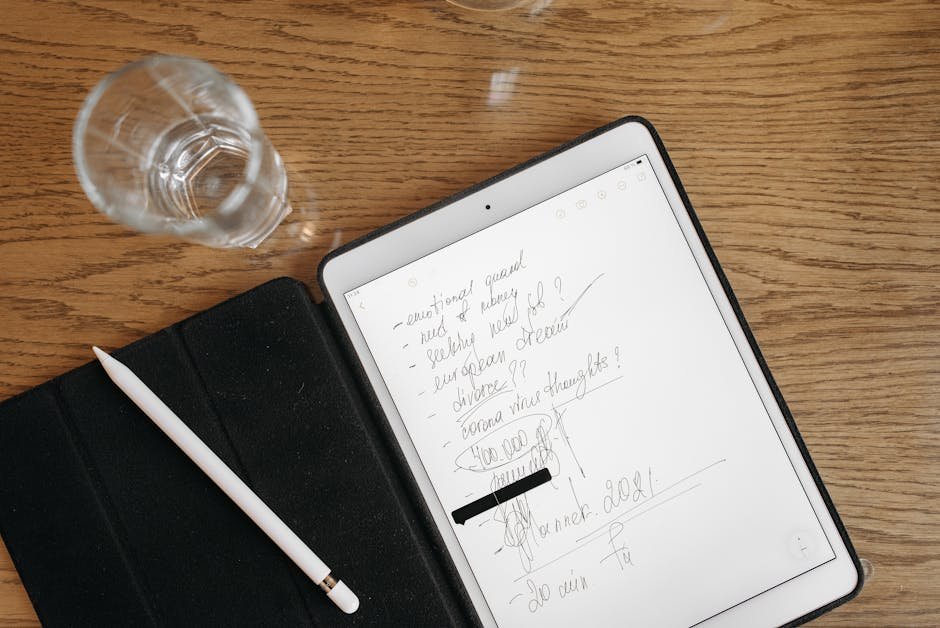
So many screens these days. Everywhere! But the Remarkable 2? Different. It’s a digital notebook. Zero tablet vibe. It’s got this e-ink screen. Feels like actual paper. Crazy, right? Lots of us, tired of messing with Apple Notes, Google Keep, or Notion for years, just want one thing: real focus. And another thing: no emails, no social pings, no app updates. Just your brain dumping stuff. Your projects. Peace.
That’s the big appeal at first. Less digital noise. More getting stuff done. Loads of folks, yeah, it works. Totally changes the game for notes and learning.
Super-Thin, Really Light: Your California Road Trip Partner
Seriously, try finding a tablet this thin. This thing’s just 4.7 millimeters. Weighs only 403 grams. Super easy to stash in your backpack. Or even a fanny pack. It’s lighter than most regular notebooks. Way convenient for dragging around, from the redwoods all the way down to SoCal beaches.
But its best trick for long trips? The battery. Seriously impressive. Think 3-4 weeks from a single charge. Maybe more. And it recharges fast, standard USB-C. Because of that e-ink screen, writing outside in the sun? Just like sketching in the shade. No glare. No squinting. But remember: no backlight. So, if it’s dark, you’re outta luck.
Easy Stuff, Smart Notes
Getting your stuff onto the Remarkable 2? Easy peasy. Got a sidekick app for your phone, instantly syncs notes, lets you upload content from either device. And for web articles? A Google Chrome thingy lets you beam pages right to the tablet. Read ’em, mess with ’em, no distractions.
Cloud storage is in there too. So you can grab files from Dropbox or Google Drive. Just remember, that cloud hookup usually needs you paying a subscription. The device really shines with PDFs. Read ’em, scribble all over ’em. Even guidebooks with internal links. But! Big thing for bookworms: the Remarkable 2 does NOT do DRM-protected e-books. So if you bought books from major stores, nope, likely won’t work.
The Handwritten Advantage: More Than Just Scribbles
Seriously, why write when typing’s quicker? Because for tons of people, actually writing things down helps you remember way better. Helps you get it. Scribbling thoughts, sketching ideas, diagramming by hand? That’s real help for focus. And for hashing out ideas. Makes it a strong tool for learning. And for brainstorming wherever you are.
Ever search for a pen during a Zoom or Google Meets call? This thing’s your meeting buddy. Quick handwritten notes. Keeps you tuned in. Plus, for people who just love messing around with a pen? Great outlet. It brings back doodling. Just plain fun, you know? Something adults kinda forgot about.
Watch Out for the Language: Handwriting-to-Text
So, one big advertised thing? Handwriting-to-text. Sounds awesome, right? But honestly, how well it works totally depends on your handwriting. If your scribbles ain’t super neat, you’ll probably have trouble getting good conversions.
Super important: the Remarkable 2 can’t do non-Latin characters right now. So if you need handwriting-to-text for Turkish, or any language not using the Latin alphabet? Forget it. You’re out of luck.
Finding Its Spot: Not Your Typical Tablet
Okay, let’s get real here: the Remarkable 2 isn’t an iPad. And it won’t ditch your Procreate tools. Not even close. Its power? One simple job. Does it awesome. Basically, a digital notepad and reader. No apps, no video, no audio. Nada.
But if you’re looking at other options, check out other e-ink gadgets. Onyx Boox, for example. Sometimes, those give you more bang for your buck. Huawei Matepad Paper and some hybrids tried both ways, but the Remarkable’s writing experience is usually better. If you want that true paper feel for writing? This is the bar. And yeah, whether it truly changes your life? Who knows. That’s up to you. But it seriously changes how folks do notes and focus. Ditch paper notebooks. Look sharp in meetings. Or crave a quiet space to think? Totally worth checking out. The e-ink world is movin’ fast. These specialized gizmos are really showing up.
Quick Questions, Quick Answers
Does the Remarkable 2 support DRM-protected e-books?
Nah. Your commercially bought e-books, the ones with DRM protection? They’re a no-go here. Most won’t work.
How good is the battery life on the Remarkable 2?
Battery life? Crazy good. Think 3-4 weeks from one charge, easy. Sometimes even more than that, with regular use.
Can the Remarkable 2 convert handwritten notes to text in any language?
It tries, yeah, with handwriting-to-text. But it really depends on how neat your scribbles are. Also, no love for non-Latin characters right now. So some languages? Out of luck.


